One theme.
One coastline.
One day.
A quiet theme for VS Code that follows the light of the Shonan coast. The colors move with the sun: moonlit navy after midnight, violet and pale pink at dawn, an open blue sky at noon, gold and coral at sunset, then back into the night.
0installs
Installs on the Visual Studio Marketplace, read when you open this pageInstall in VS Code ↓Marketplace ↗
Free, open source (MIT), VS Code 1.85 or newer.
Shonan Vibes
This is Shonan Vibes
The changes are slow enough that you won’t see them happen.
You’ll just notice, now and then, that the light is different.
Night is dark,
noon is a blue sky.After dark the editor is deep navy. Through the morning it opens into a clear sky blue, and the syntax colors become pale tints that float on it. Text always stays light, so it never becomes a white light theme.
Driven by the sun,
not the clock.It computes the sun’s real altitude for today (NOAA algorithm, offline). So the June sunset at 18:58 and the December sunset at 16:32 get the same colors, at the right time.
Continuous.
There are no theme switches. Twelve moods are blended continuously in OKLab, a perceptual color space. No color changes by more than half a just-noticeable difference per minute.
Intent
From the morning glow to the sunset,
and the color of the sky.
The colors of Shonan Vibes were designed as twelve moods from a written brief that the author wrote with reference photographs (quiet night skies, moonlit and evening seaside, early morning light, sunrise and sunset, the bright daytime ocean, Shonan coastal landscapes). The three photographs here were taken by the author in November 2026, after the release; the colors below each one are the same day and the same minute, computed in this page by the Shonan Vibes engine.
-
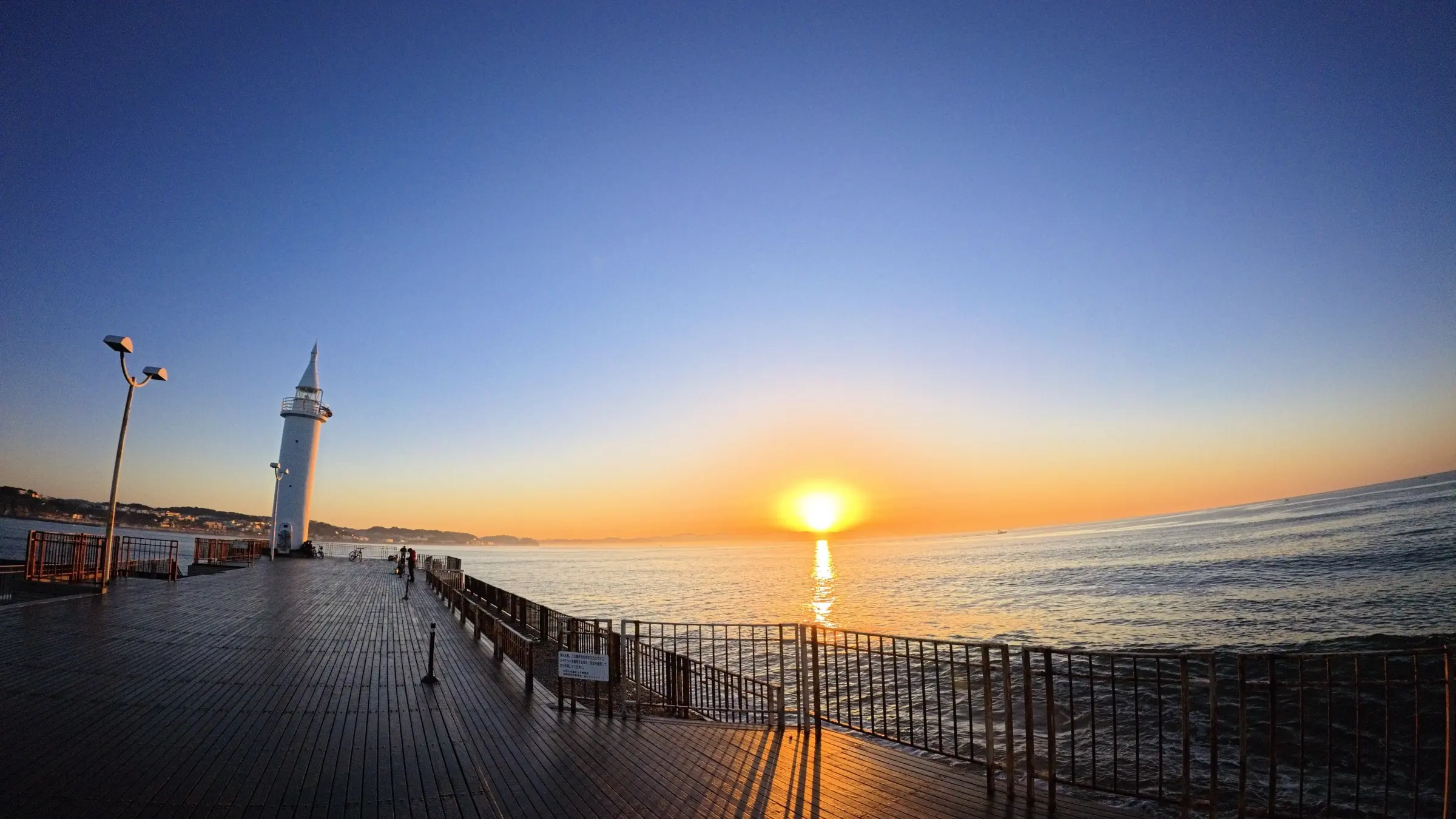
Morning glowTaken 2026.11.16 06:31 Shonan Vibes at the same minute
-
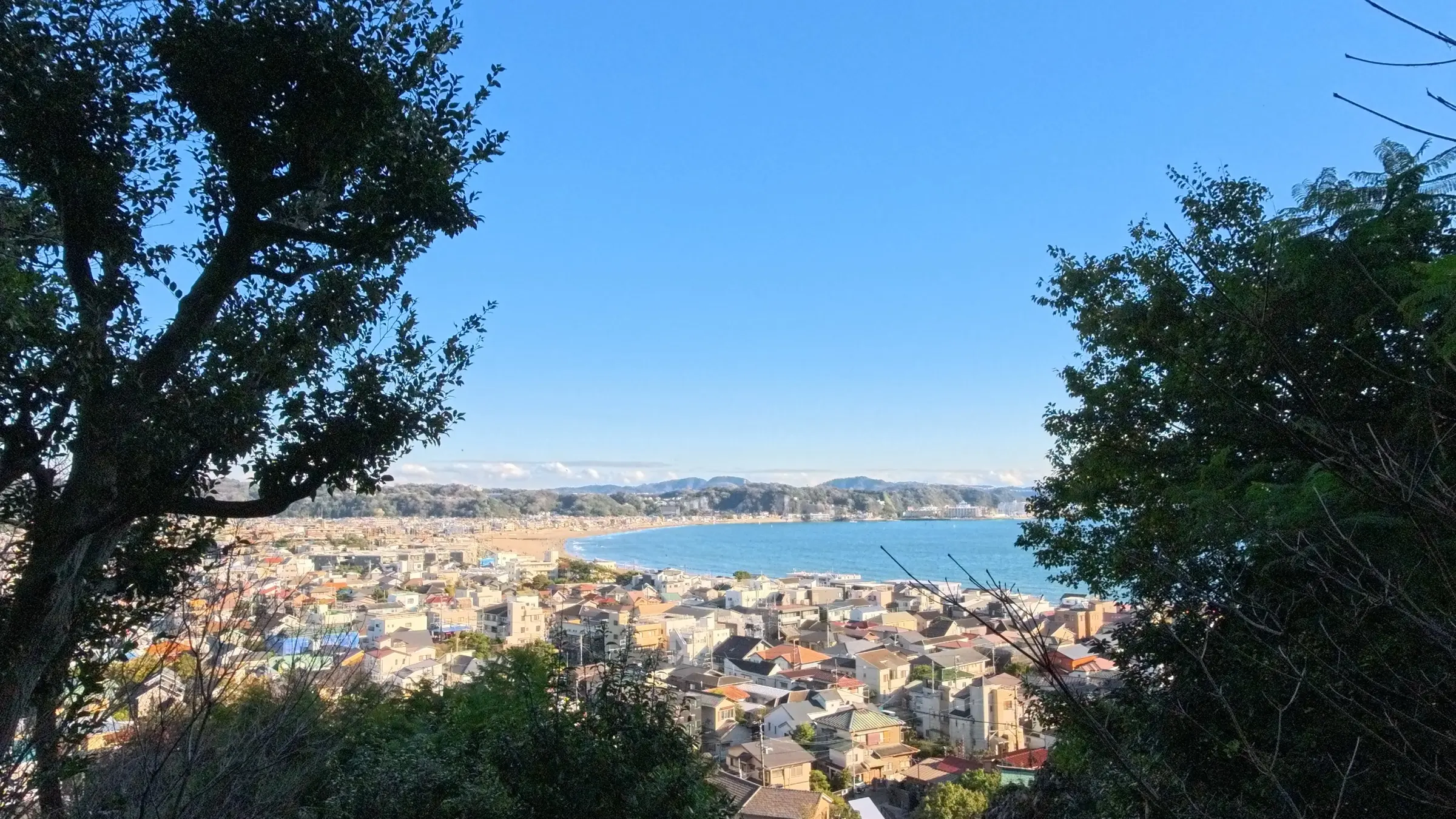
The color of the skyTaken 2026.11.23 14:10 Shonan Vibes at the same minute
-
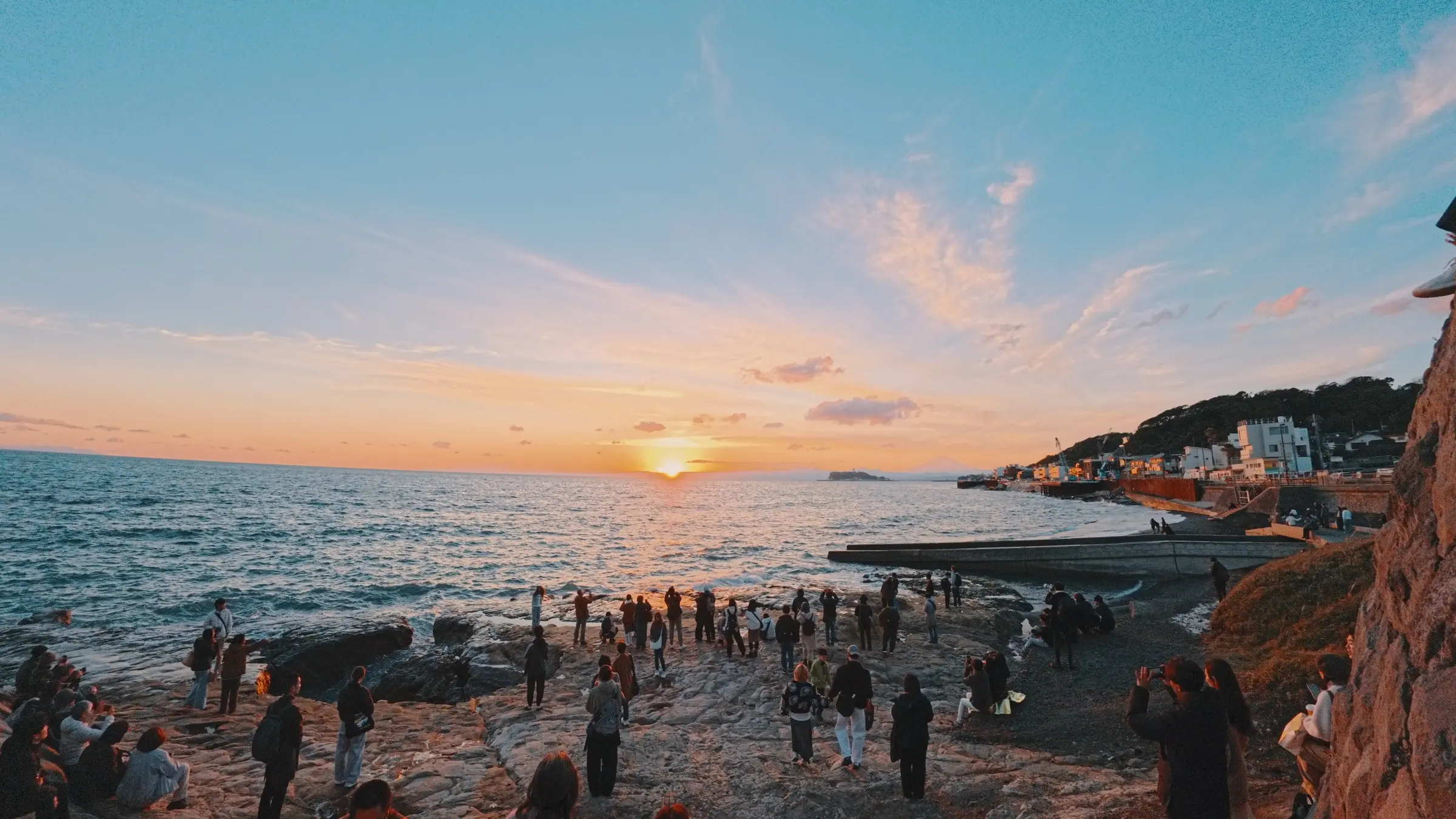
SunsetInamuragasaki · taken 2026.11.23 16:26 Shonan Vibes at the same minute
Photographs by the author (Insta360 Ace Pro 2). Beside each heading: the phase of the day at that minute and the sun’s height. The code is painted in the editor’s colors of that minute; the colors below it are, from the left, the editor background, the zenith, the horizon and the sea (the Shoreline coast’s colors), keywords, functions, strings and numbers. The Shoreline view is a panorama from the beach at Koshigoe, drawn after a photograph by the author.
Where
The same view,
from Inamuragasaki.
- JapanFrom here to the Shonan coast.
- Sagami BayThe Izu peninsula to the west, the Miura peninsula to the east, Mount Fuji beyond.
- The Shonan coastFrom Enoshima past Koshigoe and Shichirigahama to Inamuragasaki and Yuigahama. The dotted line is the Enoden.
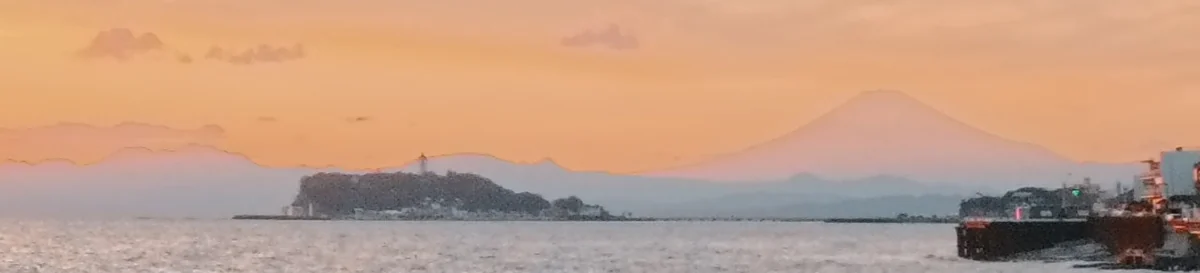
- InamuragasakiEnoshima to the west, Mount Fuji beyond.
- This viewThe same view can be seen from Inamuragasaki.
Taken 2026.11.23 16:26![Part of the same photograph, enlarged: Enoshima and its Sea Candle, with Mount Fuji beyond it, a little to its right.]()
Part of the same photograph, enlarged: Mount Fuji beyond Enoshima, a little to its right.
Map lines: © OpenStreetMap contributors (ODbL) · Natural Earth
A day on the coast
One Shonan day.
Shonan Vibes 0.7.2 in a real VS Code, recorded while the held time moved on 3 minutes at a time: 480 frames of the Shonan sky on 26 November 2026. Move the slider to any hour.
Night is dark,
noon is a blue sky.From deep navy to a clear sky blue.
![]()
Driven by the sun,
not the clock.Today’s sun, computed offline.
![]()
Continuous.
Twelve moods, blended in OKLab.
![]()
Stable
meaning.Only the light falling on them changes.
![]()
Readable
at every hour.Every syntax color at or above WCAG AA.
![]()
Calm.
Nothing neon. No animations in the editor.
![]()
The bottom of the window
is the coast.The status bar is the sea; the panel, a pixel-art coast.
![]()
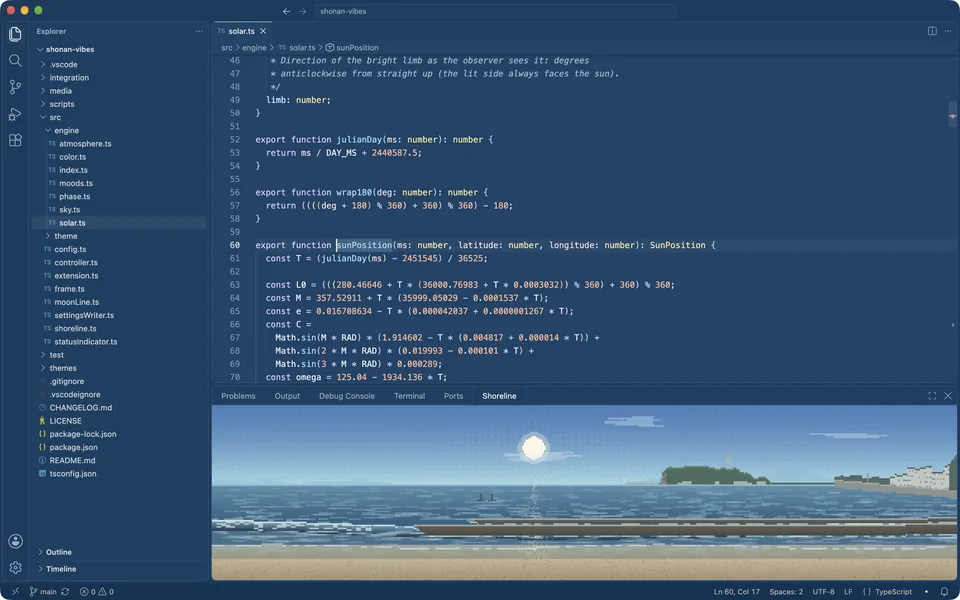
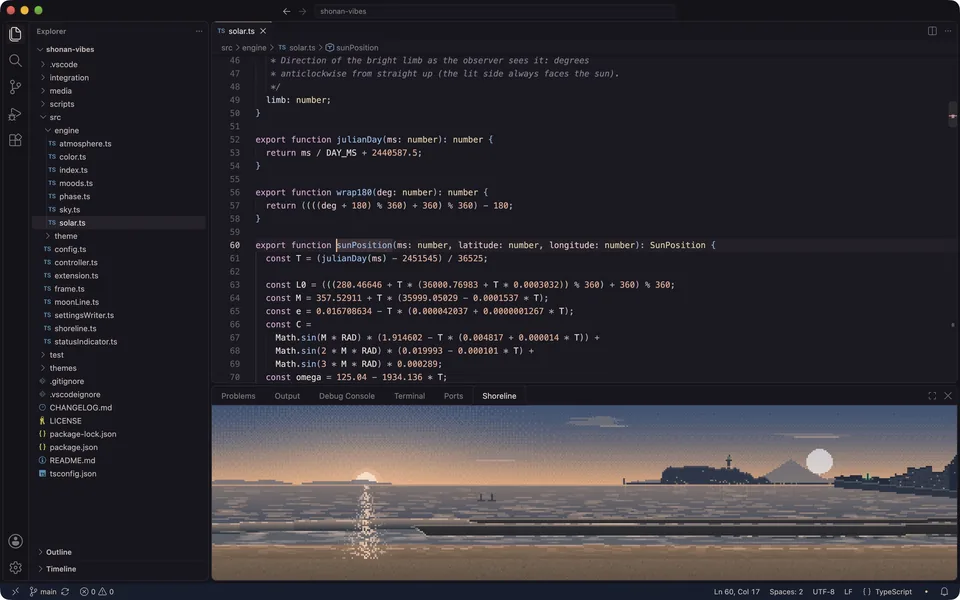
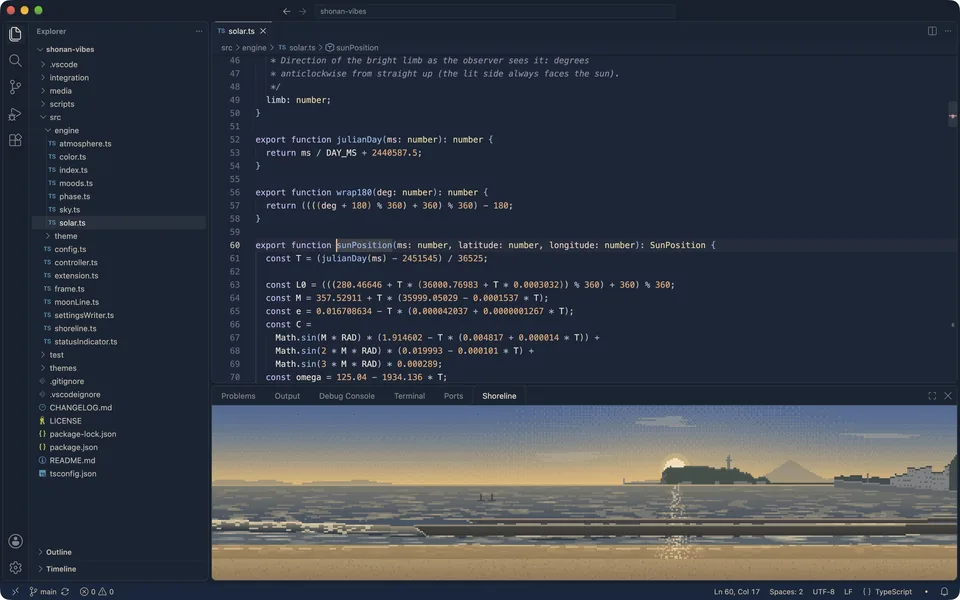
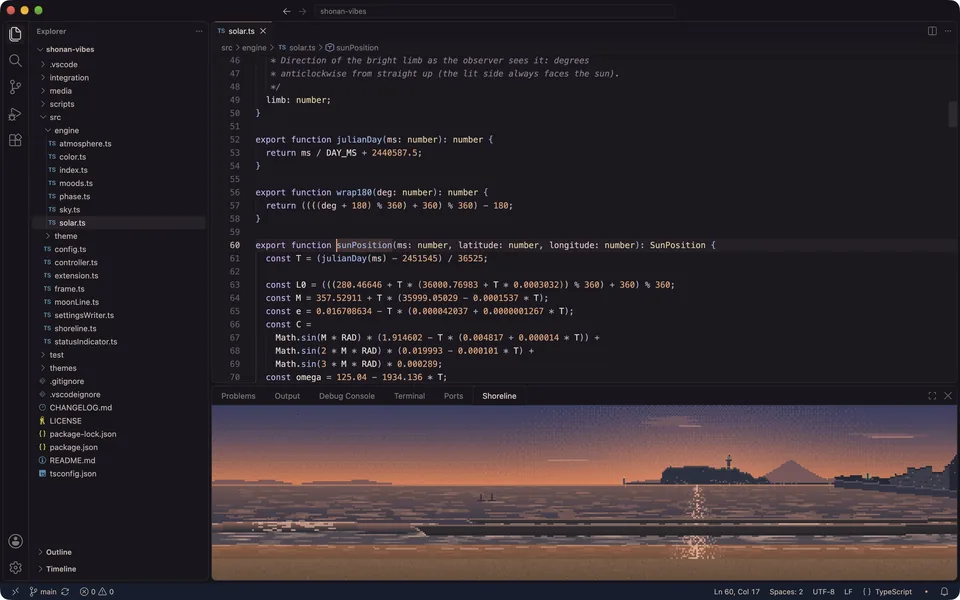
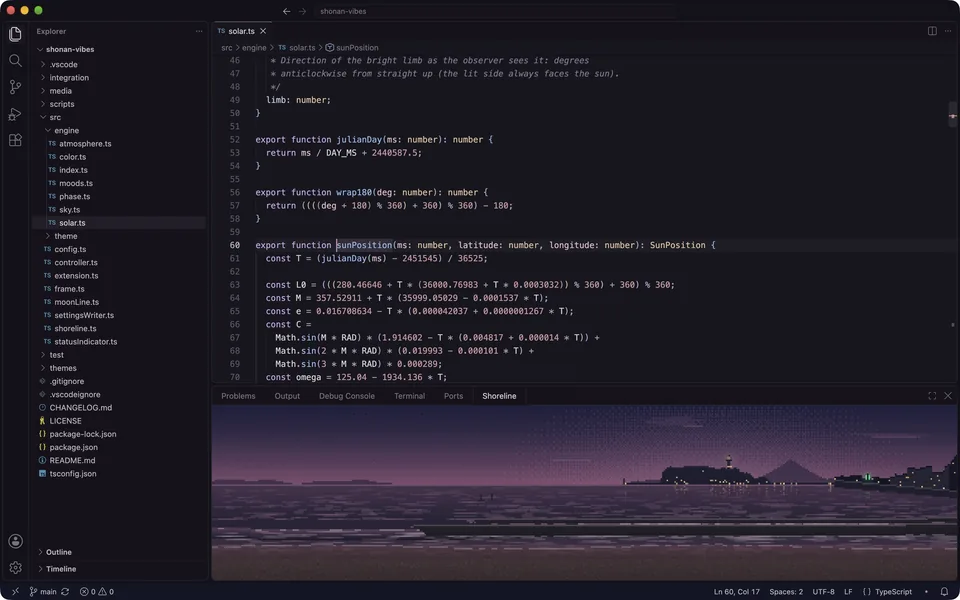
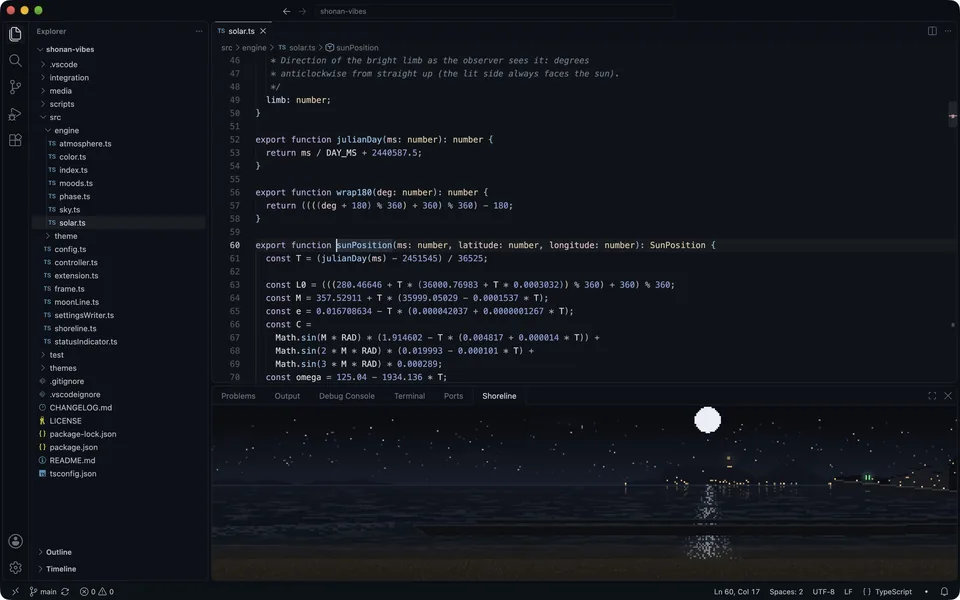
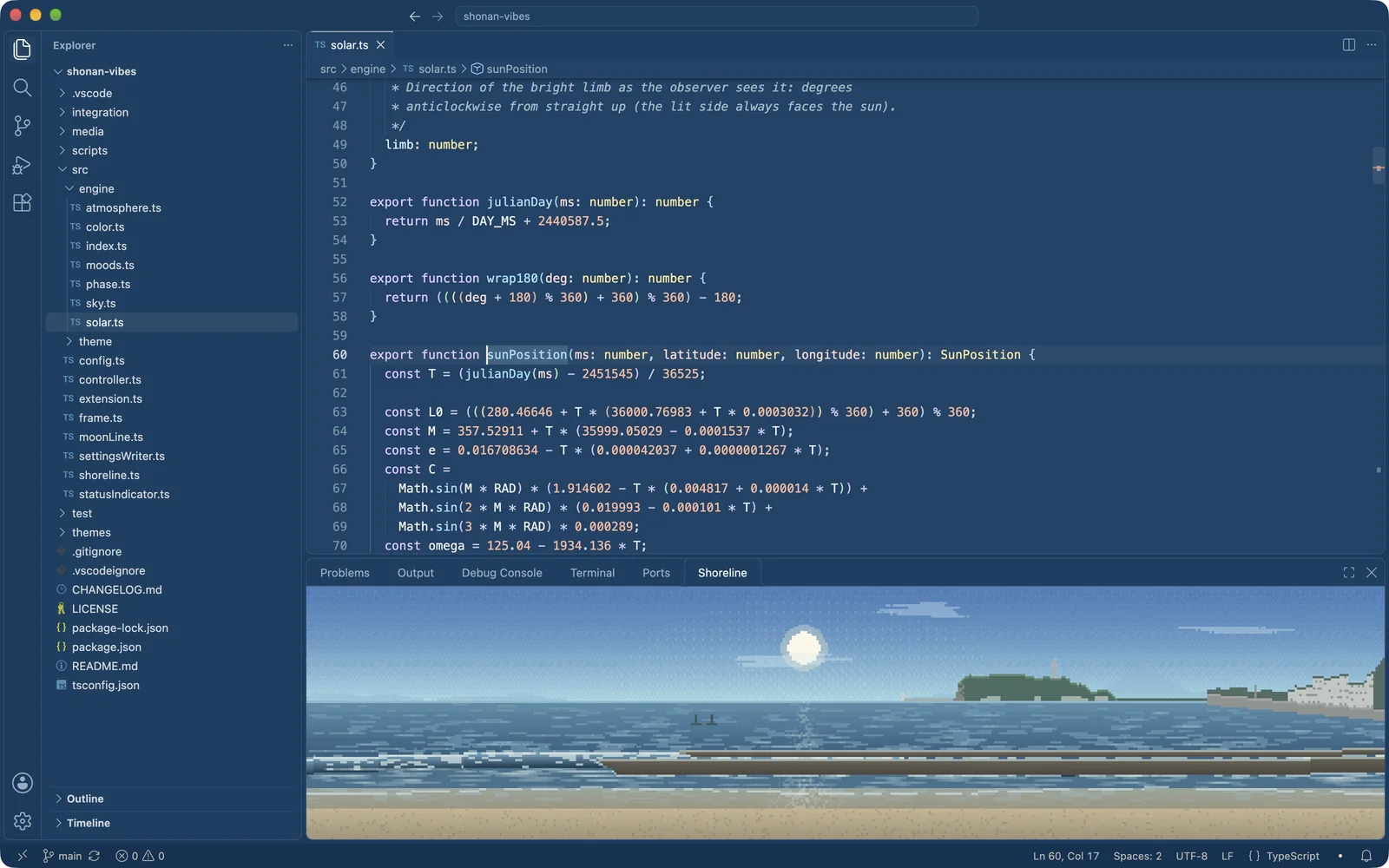
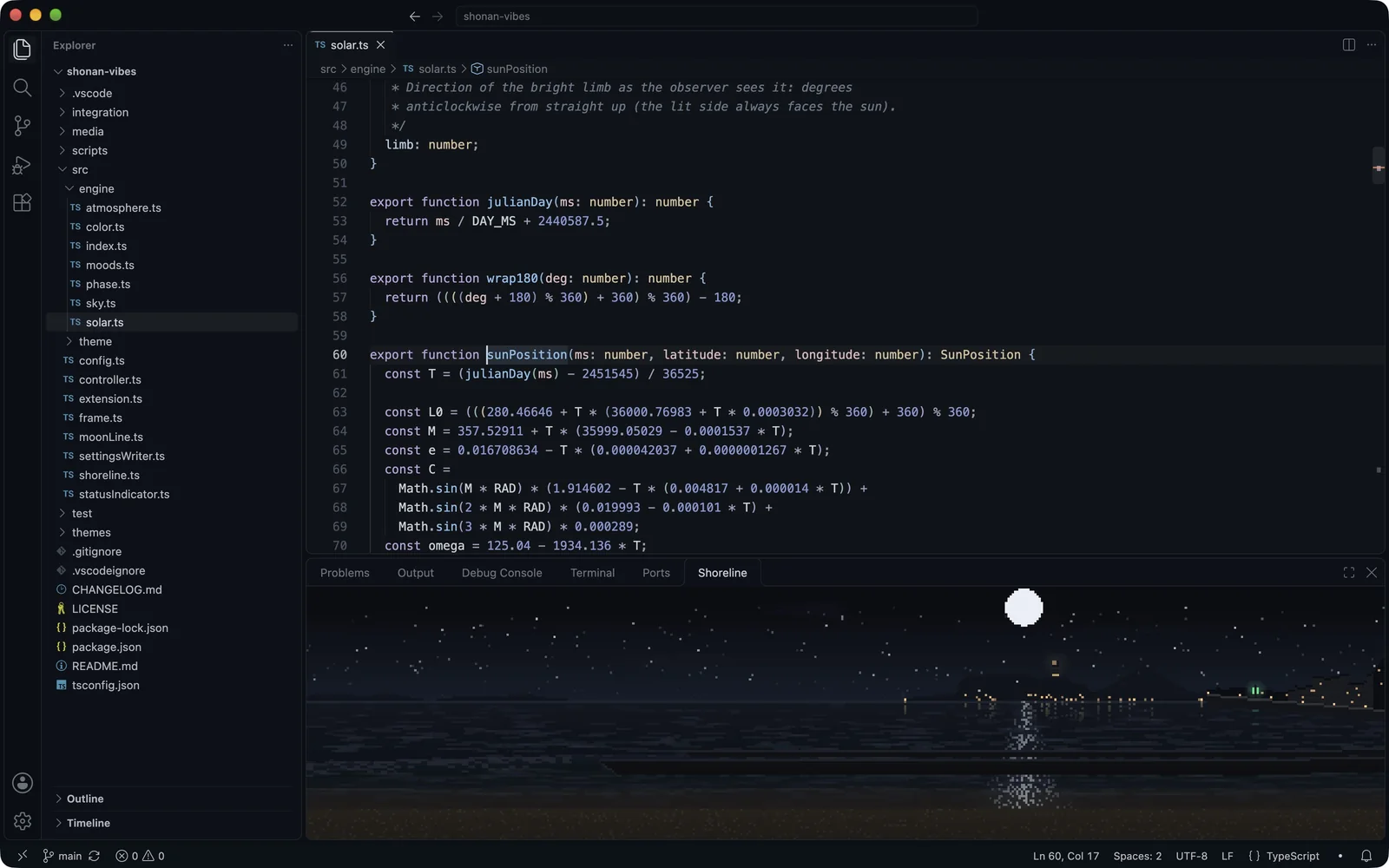
01Night and noon
Night is dark,
noon is a blue sky.
After dark the editor is deep navy. Through the morning it opens into a clear sky blue, and the syntax colors become pale tints (lilac, ice blue, green, peach, sunlight yellow) that float on it. Text always stays light, so it never becomes a white light theme.
Drag to compare the same screen at 01:39 and 12:00 (from the recording above).
02Driven by the sun
Driven by the sun,
not the clock.
Shonan Vibes computes the sun’s real altitude for today (NOAA algorithm, offline). So the June sunset at 18:58 and the December sunset at 16:32 get the same colors, at the right time.
The curve is today’s sun over Enoshima, computed in this page with the extension’s own code.
03Continuous
Continuous.
There are no theme switches. Twelve moods are blended continuously in OKLab, a perceptual color space, with easing. No color changes by more than half a just-noticeable difference per minute.
- night
- blue hour
- dawn
- sunrise
- morning
- day
- afternoon
- golden hour
- sunset
- afterglow
- twilight
- dusk
04Stable meaning
Stable
meaning.
Keywords, functions, strings, numbers, types and comments each keep their color family all day; only the light falling on them changes. Numbers, for example, are a muted blue at night, soft peach at sunrise and soft orange at sunset.
05Readable at every hour
Readable
at every hour.
A contrast guard runs last on every color. Text stays at or above 9:1 in the dark hours and 7:1 under the midday sky, and every syntax color, comments included, stays at or above WCAG AA (4.5:1), for every hour of the year and every setting combination. The test suite checks this.
06Calm
Calm.
Chroma is capped low. Nothing is neon, and there are no animations in the editor.
Each check is cheap.
It computes about 600 colors in well under a millisecond.
Settings are written only when visible.
A write happens only when some color would change by at least half a just-noticeable difference. In a typical day that is about 90 updates, mostly around sunrise and sunset, and very few in deep night.
No other activity.
There is no animation in the editor, no network access and no telemetry.
Multiple windows agree.
Each window compares against what is already in settings, so they don’t fight.
07The shoreline
The bottom of the window
is the coast.
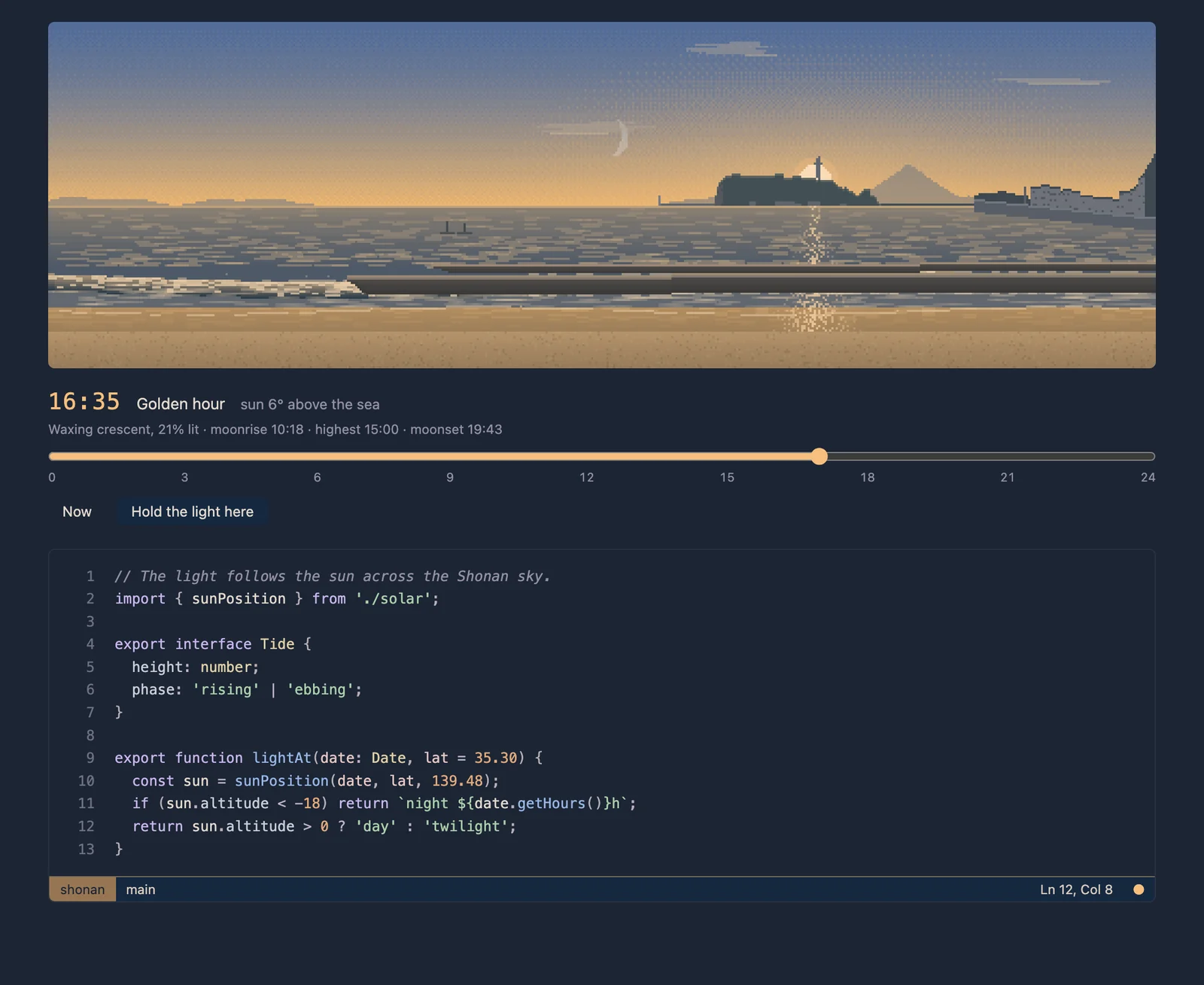
The status bar is the sea, and the bottom panel holds a pixel-art coast. VS Code themes can only set solid colors, so the picture lives in its own view.
Status bar = the sea.
It takes the ocean’s color for the hour. Its top border is a thin horizon line in the color of the light: a faint silver thread at night, brighter at sunrise and sunset. The remote indicator at the far left sits on a strip of sand.
The light dot.
A small dot at the far right of the status bar takes the color of the current light: moon, dawn, sun or sunset. Hover it for the phase, the sun’s height, and today’s sunrise and sunset. Click it to open the Shoreline.
Shoreline view.
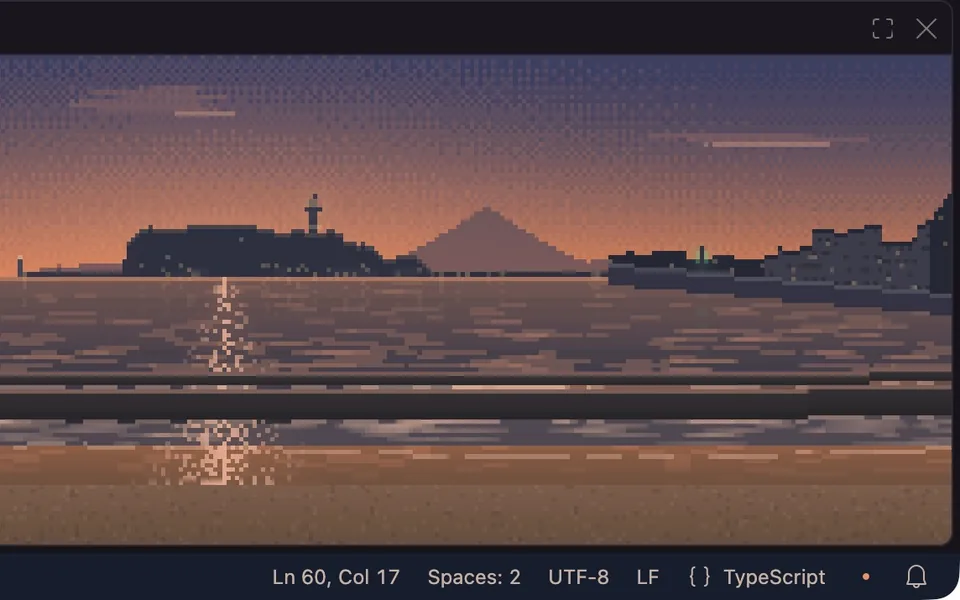
A panorama from the beach at Koshigoe: the low Miura peninsula to the east, the open sea to the south, Enoshima in its familiar outline, Fuji just beyond. The sun and moon rise, cross and set at their true times and bearings. The moon shows its real phase for the day, with its lit side turned toward the sun. The stars wheel slowly across the sky through the night.
Shoreline tab.
Run “Shonan Vibes: Open Shoreline” to scrub through today and preview any hour on a sample of code. Previewing doesn’t touch your editor. “Hold the light here” keeps that hour until you choose “Follow the sun”.
How it works
From the clock
to VS Code’s colors.
- Clocknow, or a held time
- Sun altitude and directionNOAA, offline
- Day phasealtitude-based, rising ≠ setting
- Mood blendOKLab, 12 moods, eased
- Season · cloudsintensity · saturation · darkness
- Contrast guardruns last
- VS Code colorswritten to settings
- Theme
- A normal color theme file. It works on its own as the static moonlit base.
- Dynamic colors
- VS Code has no API for changing a theme at runtime. The supported way is user settings, so the extension writes
workbench.colorCustomizations,editor.tokenColorCustomizationsandeditor.semanticTokenColorCustomizations, always under the theme-scoped key"[Shonan Vibes]". Nothing leaks into other themes. Entries you add yourself inside that block are kept. - Shoreline
- A webview view and panel. This is the only place graphics can live: themes cannot draw gradients or images in the status bar.
- Light dot
- A status bar item. Recoloring it costs nothing.
Settings · Commands
Settings
and commands.
Want it still? Set Intensity to 0 (static moonlit theme), or turn Dynamic Colors off. Set your own city’s latitude and longitude to follow your own sky.
dynamicColorstrue- Follow the sun. Off: the static moonlit theme, with nothing written to your settings.
intensity1- How far the light moves:
0static,0.5subtle,1the full day. updateInterval3- Minutes between checks of the light. Colors are rewritten only when the change would be visible.
useLocalTimetrue- On: the coast is moved into your time zone, so its sunrise and sunset fall on your local hours. Off: the real-time sky over the configured coast.
sunriseTime""- Fixed sunrise,
HH:MM. Empty uses today’s real sunrise. sunsetTime""- Fixed sunset,
HH:MM. Empty uses today’s real sunset. oceanSaturation1- Color strength of sea, sky and accents, from
0to1.5. Syntax colors are unaffected. nightDarkness0.50gives soft slate nights,1near-black nights.enableAtmosphericStatusBartrue- Sea-colored status bar with horizon line and sand. Off gives a plain dark bar.
statusBarIndicatortrue- Show the light dot in the status bar.
seasonalTinttrue- Small seasonal shifts: livelier summer sea, cooler winter blue, pastel spring dawns, warmer autumn evenings.
fixedTime""- Hold the light at one time of day,
HH:MM. latitude/longitudeEnoshima- The coast whose sun you follow. Set your own city to follow your own sky.
cloudCover0- Manual cloud cover from
0to1. Mutes sky and sea; syntax colors stay the same. Reserved for a future, optional weather source. shorelineMotiontrue- Slow shimmer on the water in the Shoreline view.
- Open Shoreline
- The coast in an editor tab, with a scrubber to preview any hour.
- Hold the Light at a Time of Day…
- Lists today’s actual times for each moment of light (for example, “Sunset · 17:07”) and holds the one you pick.
- Follow the Sun (Live)
- Release a held time.
- Toggle Dynamic Colors
- Switch between the moving and the static theme.
- Refresh Colors Now
- Recompute immediately, for example after waking the computer.
- Remove Dynamic Colors from Settings
- Turn dynamic colors off and remove everything Shonan Vibes wrote. Run this before uninstalling.
All settings start with shonanVibes., and all commands with “Shonan Vibes:”.
History
One night,
from 0.1.0 to 0.7.2.
Twelve commits, from the first at 21:12 on 15 October 2026 to 0.7.2 at 00:07 on the 16th. From the repository’s history and the CHANGELOG.
- 0.1.0First release: the dark theme with a moonlit static base, dynamic colors that follow the sun, the sea-colored status bar, the Shoreline.
- The full Shonan sunset artwork as the extension icon.
- 0.1.1New extension icon.
- 0.2.0Midday opens into a blue sky; syntax colors become pale tints that float on it.
- 0.2.1A taller Shoreline panel shows more sky.
- 0.3.0A finer, recomposed Shoreline.
- 0.4.0Shoreline redrawn after a real photograph, from Koshigoe on the Kamakura side.
- 0.5.0The sun, moon and stars follow the real sky.
- 0.6.0The moon keeps its real hours for each phase.
- 0.7.0Enoshima in its familiar outline.
- 0.7.1A taller Sea Candle.
- 0.7.2The Sea Candle a little lower.
 Visual Studio Marketplace
- Extension ID
tsubasato.shonan-vibes- Published
- 2026.10.15
- Latest version
- 0.7.2 · 2026.10.16
- Installs
- —
- Price
- Free
The install count is read from the Marketplace when you open this page.
Technical Specifications
- Type
- A VS Code color theme and extension
- Requires
- Visual Studio Code 1.85 or newer
- Latest version
- 0.7.2
- Price
- Free, open source (MIT License)
- Extension ID
- tsubasato.shonan-vibes
- Network
- No network access, no telemetry
- Workspaces
- Works in untrusted and virtual workspaces
- Sun and moon
- The NOAA Solar Calculator algorithm (after Jean Meeus, Astronomical Algorithms); the moon from a lunar theory
- Color space
- OKLab (Björn Ottosson)
- Development
- TypeScript, Node.js 20 or newer
- Source
- GitHub · Rhizobium-gits/shonan-vibes
Notes
- Where the colors come from: the twelve moods were set in code from the time-of-day color directions in a written brief that the author wrote with reference photographs (quiet night skies, moonlit and evening seaside, early morning light, sunrise and sunset, the bright daytime ocean, Shonan coastal landscapes). No colors were taken from photographs automatically, and no machine learning was used. The coast in the bottom panel was drawn after a photograph the author took from the beach at Koshigoe, and Enoshima’s outline was traced from several photographs taken from the Kamakura side (0.7.0).
- If you use Settings Sync, these color updates sync too. To keep them on one machine, add
workbench.colorCustomizations,editor.tokenColorCustomizationsandeditor.semanticTokenColorCustomizationstosettings.sync.ignoredSettings. That also stops syncing your own color customizations. - VS Code shows the last written colors immediately. If the light has moved on since then, the colors adjust once, a moment after startup.
- Run “Remove Dynamic Colors from Settings” before uninstalling. If you forget, the leftover block is harmless, because it only applies to a theme that no longer exists.
Photographs by the author. Map lines from © OpenStreetMap contributors (data under the ODbL) and Natural Earth (public domain). Solar position: the NOAA Solar Calculator algorithm (after Jean Meeus, Astronomical Algorithms). Color space: OKLab, by Björn Ottosson.
Visual Studio Code and VS Code are trademarks of Microsoft Corporation.
Three steps
to get going.
Install
Install Shonan Vibes.
Pick the theme
Preferences: Color Theme → Shonan Vibes.
That’s it
The colors start following the sun over Shonan, mapped to your local hours.